
 TRIAL LESSON
Uncategorized
AI Tools for Piano Students — WKMT London Guide 2026
Aug
AI Tools for Piano Students Complete Guide
AI Tools for Piano Students and Composers — What’s Actually Useful in 2026
Artificial intelligence is reshaping how music is made, learned, and explored. This guide cuts through the noise for piano students and composers: what these tools actually do, which are worth your time, and where only a teacher’s ear will do.
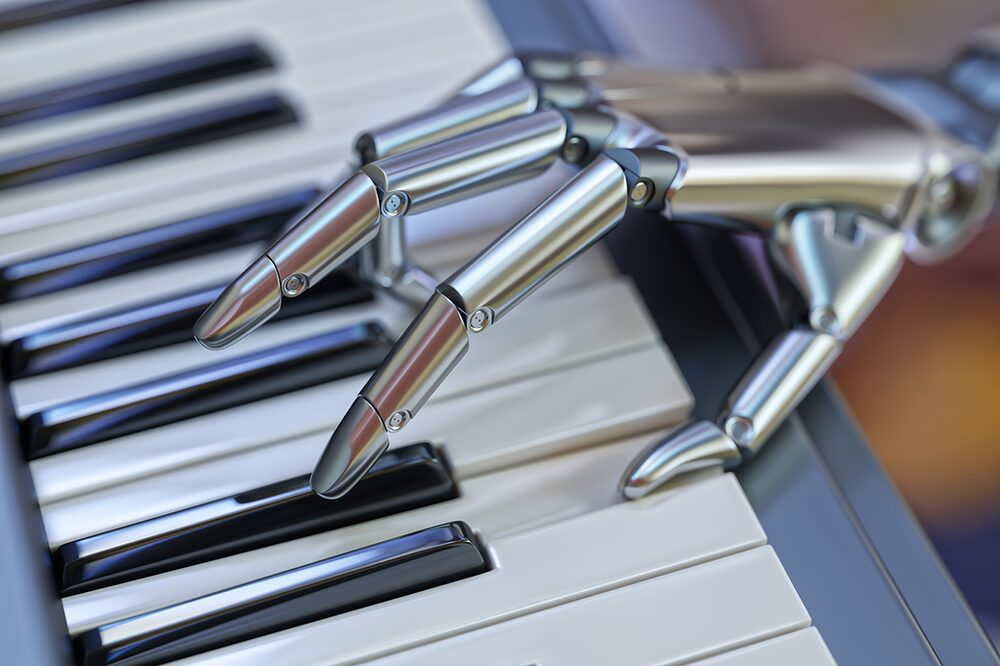
The conversation around artificial intelligence making music has shifted dramatically in the past few years. What began as a curiosity — a pop song composed by an algorithm — has evolved into a practical ecosystem of tools that sit on the music stands of conservatoire students and in the practice rooms of adult learners. The question for piano students is no longer whether AI tools exist. It is whether they are useful, and what kind of useful.
At WKMT, we take a clear-eyed view. AI tools for piano students can support practice, accelerate certain kinds of learning, and make composition exploration more immediate. They can also distract, create dependency on shortcuts, and give a false impression of musical progress. This guide separates the two, tool by tool.
What This Guide Covers
- What AI can and cannot realistically do for a piano student in 2026
- Interactive piano learning apps: Flowkey, Simply Piano, Skoove — compared
- Notation and score tools: MuseScore and AI transcription
- AI composition tools: Suno and Udio for student composers
- The honest limits — what artificial intelligence cannot replace
- WKMT’s approach to integrating technology into serious piano study
What AI Can Actually Do for Piano Students
AI assistance for pianists falls into three broad areas: interactive learning and feedback (apps that listen to your playing), notation and transcription (software converting audio or MIDI into score), and generative composition (tools producing music from a text prompt). Matching tool to need is the first discipline.
Interactive Piano Learning Apps
Flowkey
Flowkey’s core strength is its song library: thousands of professional arrangements spanning pop, film scores, classical, and jazz. The app waits for you to play each section correctly before advancing. This works well for learning the sequence of a piece but less well for musical phrasing or understanding why a phrase should shape a particular way. The app cannot assess hand position, weight distribution, or the relationship between physical gesture and tone production.
Simply Piano
Simply Piano takes a structured, course-based approach with a deliberately gamified interface. With over 50 million installs, it is the most-used piano learning app in the world. For complete beginners who need motivation and structure, it provides both. The limitation: the feedback is binary (correct note / wrong note) rather than musical. A student who plays every note in the right order with a rigid, unvaried touch will receive full marks.
Skoove
Skoove is the most credible option for students who want AI-powered feedback combined with sheet music instruction from the outset. Unlike Flowkey and Simply Piano — which often use tab-style visual representations — Skoove emphasises reading notation alongside listening. Independent testing consistently names it the most pedagogically rounded of the mainstream piano apps in 2026.
“The biggest technical differentiator between piano apps is how they listen to your playing: microphone-based apps use FFT audio analysis, while MIDI-based apps receive digital note data for near-perfect accuracy. Most modern apps now support both.”
Notation and Score Tools — MuseScore
MuseScore is primarily a notation editor — a free, open-source alternative to Sibelius and Dorico — with integrated AI-assisted features including MIDI-to-score transcription. For composition students who need to write out ideas and hear them played back, MuseScore is a legitimate and cost-free starting point. The AI transcription feature is genuinely useful for capturing improvisational ideas quickly, though rhythmic quantisation often needs manual correction.
For advanced students, WKMT’s composition lessons in London provide the context that turns MuseScore from a notation tool into a compositional instrument: voice leading, harmonic function, and structural proportion are skills no notation software teaches.
AI Composition Tools — Suno and Udio for Piano Students
Suno and Udio generate full audio tracks from a text prompt. Both have free tiers and paid plans around £8–10/month. For composition students, these tools serve a specific purpose: rapid harmonic and textural sketching. A student working on an accompaniment style can prompt Suno to generate a Romantic waltz texture and use it as a reference point — not as a finished product, but as a palette to analyse and respond to.
“Udio tends to win on genre authenticity and instrumental texture for niche styles including classical and jazz. Suno is faster and simpler, generating full songs in under sixty seconds.”
Neither tool produces output directly useful for learning to play the piano. They do not teach note reading, finger independence, or harmonic understanding. Their value is in listening and analysing — supplementary rather than primary.
A Comparison of AI Tools for Piano Students
| Tool | Best For | Classical Suitability | Replaces Teacher? | Cost 2026 |
|---|---|---|---|---|
| Flowkey | Song library, note feedback | Moderate | No | ~£10/mo |
| Simply Piano | Complete beginners | Low | No | ~£8/mo |
| Skoove | Sheet music + AI feedback | Moderate-high | No | ~£10/mo |
| MuseScore | Notation, MIDI transcription | High | No | Free |
| Suno | Composition sketching | Low | No | Free/~£8/mo |
| Udio | Genre-authentic sketching | Low-moderate | No | Free/~£8/mo |
What AI Cannot Replace
Every tool above shares one characteristic: none can observe your hands. Excessive wrist tension, collapsed finger joints, incorrect arm weight — invisible to a microphone and undetectable by MIDI. Left uncorrected, they cause injury.
- Physical observation: A teacher watching your hand position can identify tension before you feel it.
- Musical interpretation: Understanding why a phrase shapes a particular way requires musical intelligence, not pattern recognition.
- Pedagogical sequencing: Knowing which problem to address first depends on a teacher’s knowledge of how a specific student learns.
- Accountability: The weekly lesson creates a deadline and a relationship. No app replicates this.
- Ear training: Listening critically to your own playing requires a trained ear — not a waveform analyser.
Is There a Place for AI in Serious Piano Study?
Yes — a specific, clearly bounded place. AI tools work best when a student already has the foundations a teacher has built: reliable technique, a reading habit, an understanding of musical structure. Without those foundations, an app cannot tell you what you are doing wrong — only whether the note was right. The conversation about artificial intelligence making music is not going away. Neither is the piano teacher.
Is Flowkey good for classical piano students?
Flowkey has a substantial classical library and works well for repertoire variety. Its feedback is note-accuracy based rather than musical, so it works best as a supplement rather than a primary instruction method.
Can Simply Piano replace piano lessons?
No. It cannot assess hand position, tone production, or musical phrasing — all of which require a trained teacher.
Is Suno useful for piano composition students?
As a sketching and listening tool, yes. Treat its output as a reference for analysis, not as a compositional model to imitate.
What is the best free AI tool for piano students?
MuseScore is the strongest free option for notation, MIDI transcription, and score editing. Skoove and Flowkey offer limited free tiers before requiring a subscription.
Will AI replace piano teachers?
Not for serious classical study. The physical, interpretive, and relational dimensions of piano teaching require human presence. The Scaramuzza technique WKMT uses is rooted in biomechanical observation no AI system can perform.
How does MuseScore compare to Sibelius?
MuseScore is free and fully functional for most student notation tasks. Sibelius and Dorico offer more sophisticated professional engraving, but MuseScore is an entirely adequate starting point.
Piano Lessons in London — Human Teaching in a Technology-Aware Studio
WKMT combines serious classical pedagogy with a clear-eyed view of how technology can support — and where it cannot replace — a trained teacher.