
 TRIAL LESSON
music production, Piano Lessons
Free Apps for Piano Students
Apr
Free apps for piano students Complete Guide
Best Free Apps for Piano Students — Sight-Reading, Ear Training and Music Theory
Piano lessons cover a great deal of ground: technique, scales, repertoire, sight-reading, aural skills, and music theory. Not all of these skills develop at the keyboard alone. Free apps for piano students can fill real gaps between lessons — a five-minute sight-reading drill before school, an interval exercise on the train, or a composition sketch at a desk. The six apps reviewed here have been tested with piano students specifically in mind, with particular attention to how well they support ABRSM grade preparation.
None of these tools replaces a piano teacher, and no article should pretend otherwise. Technique, tone production, musical interpretation, and the fine gradations of touch that define accomplished playing cannot be transmitted through a screen. What apps do well is build frequency: the more often a student encounters musical symbols and patterns, the faster those symbols become automatic. That automation — reading a crotchet instantly, identifying a dominant seventh by ear — is exactly what frees up a student’s attention during a lesson to focus on music rather than mechanics. Used well, these apps make lessons more productive for everyone.
What This Guide Covers
- Music Tutor — ABRSM sight-reading preparation (Grades 1–5)
- Aural Wiz — Ear training and ABRSM aural test preparation
- Music Theory with AUDIO — Grade 5 Theory revision and flashcards
- Flat — Music composition and notation for students
- Classics for Kids — Classical music appreciation for young learners
- PlayScore2 — Practice with any printed score (director’s choice)
How Apps Fit Into Piano Practice
A piano practice session typically divides into technique (scales, arpeggios, technical exercises), repertoire work, and theory or aural revision. Most students attend lessons once or twice a week, which leaves considerable time between sessions. Apps are most effective when they occupy short, regular windows — ten minutes of sight-reading daily will produce measurable improvement in two to three months. Trying to cram all revision into one long session the day before a lesson is far less effective.
ABRSM grade examinations test three distinct areas beyond the prepared pieces: sight-reading, aural, and scales. Two of those three areas — sight-reading and aural — are directly addressable with the apps below. Music theory (required at Grade 5 for entry to Grades 6–8) is addressed by a third. Students preparing for any ABRSM grade will find each of these apps relevant.
Six free apps for piano students mapped to skill area, ABRSM relevance, platform, and cost.
Music Tutor — Sight-Reading Practice
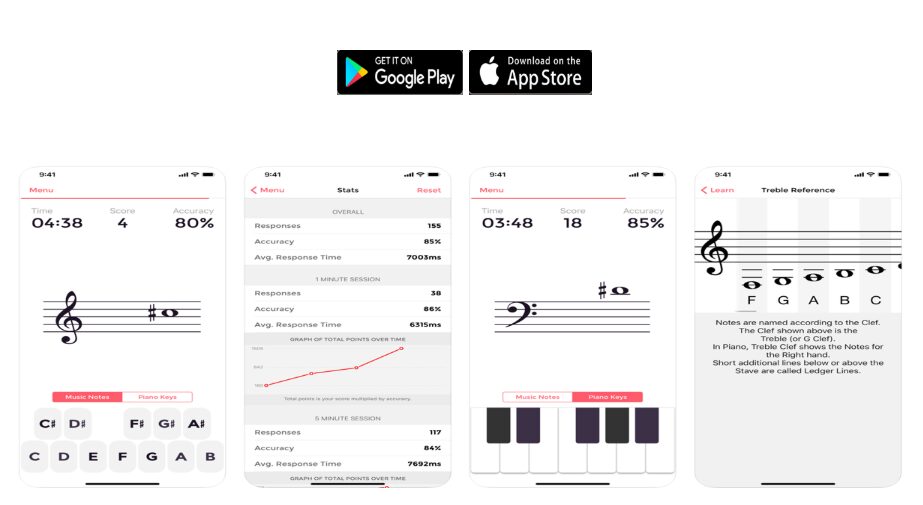
Sight-reading is one of the most consistently tested and consistently underprepared skills in ABRSM grade examinations. Music Tutor addresses this directly by presenting individual notes on the staff and asking the student to name them quickly — building the automatic recognition that makes sight-reading at the piano possible rather than painful.
The app allows students to choose between treble, bass, and alto clefs, and to set note ranges appropriate to their current grade. Sessions run for one, five, or ten minutes, making it easy to fit into a morning routine. More advanced students can restrict the range to the notes that appear in their particular grade’s sight-reading requirements. For ABRSM Grades 1–5, the app covers exactly the note range needed.
Teachers can also use Music Tutor to set a student’s note range in advance, effectively creating targeted homework. A student preparing for ABRSM Grade 3, for example, can work exclusively on the notes in the treble and bass clef range expected at that level, rather than practising notes they will not encounter in an examination for several years.
For further guidance on how to structure practice around sight-reading, see WKMT’s guide on reading notes like an open book.
Aural Wiz — Ear Training for ABRSM Aural Tests
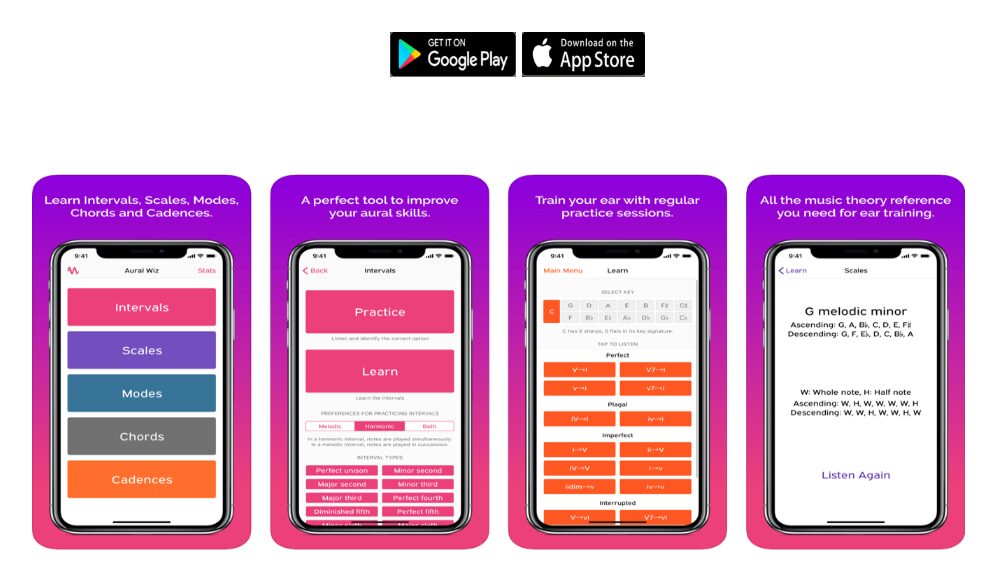
Aural skills are tested at every ABRSM grade, and many students find this component the most difficult to prepare for, precisely because it cannot be practised at the piano in the same way that scales or pieces can. Aural Wiz fills this gap: it covers intervals, scales, modes, chords, and cadences, with audio files for every concept and a clear visual representation of note positions on the keyboard.
The app works in two modes. In Learning mode, the student studies each concept with audio support and visual notation. In Practice mode, a melodic or harmonic pattern is played and the student must identify it. This mirrors the format of an ABRSM aural test more closely than most competing apps, which tend to reduce ear training to simple interval identification.
Students preparing for ABRSM Grades 3–5, where aural tests include recognising cadences, modes, and chord types, will find Aural Wiz particularly useful. The interface is clear and accessible, and the app works well in short sessions — ten minutes of cadence identification three or four times a week will produce measurable improvement before an examination. WKMT’s dedicated guide on preparing for the ABRSM Grade 4 aural test provides additional context on what examiners expect.
Music Theory with AUDIO — Grade 5 Theory Preparation
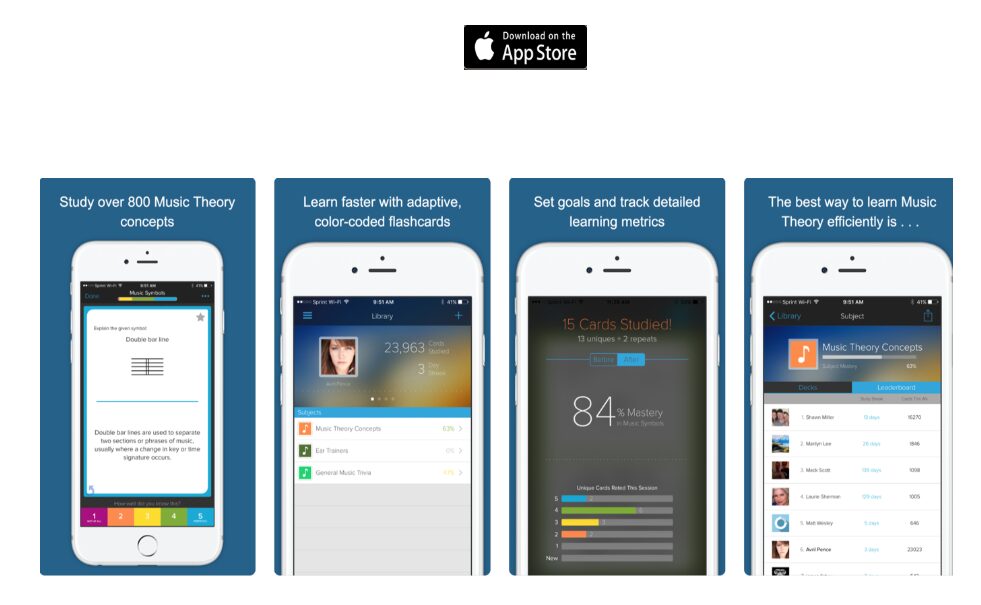
Passing ABRSM Grade 5 Theory is a prerequisite for entering Grades 6, 7, and 8 in any instrument. Many piano students reach Grade 5 performance standard long before their theoretical knowledge catches up, and this gap can block exam entry at exactly the moment a student is ready to progress. Music Theory with AUDIO addresses this through a flashcard system that covers the full Grade 5 syllabus — notation, intervals, chords, key signatures, form, and rudiments — with audio support for each concept.
The audio component is the app’s defining feature: rather than learning that a diminished seventh chord contains a certain interval pattern in the abstract, students hear the chord while reading its notation, reinforcing both visual and aural understanding simultaneously. This dual-channel approach is considerably more effective for music theory retention than text-only revision, particularly for students who are primarily auditory learners.
A practical limitation: the app is currently available only on iOS (Apple devices). Android users will need to supplement with the ABRSM’s own Music Theory Trainer app, which covers Grades 1–5 and is available on both major platforms.
Music theory is not a separate subject from piano playing — it is the explanation for why what you hear on the keyboard sounds the way it does. Students who understand theory at the keyboard play more confidently than those who do not.— WKMT London editorial team
Flat — Music Notation and Composition for Students
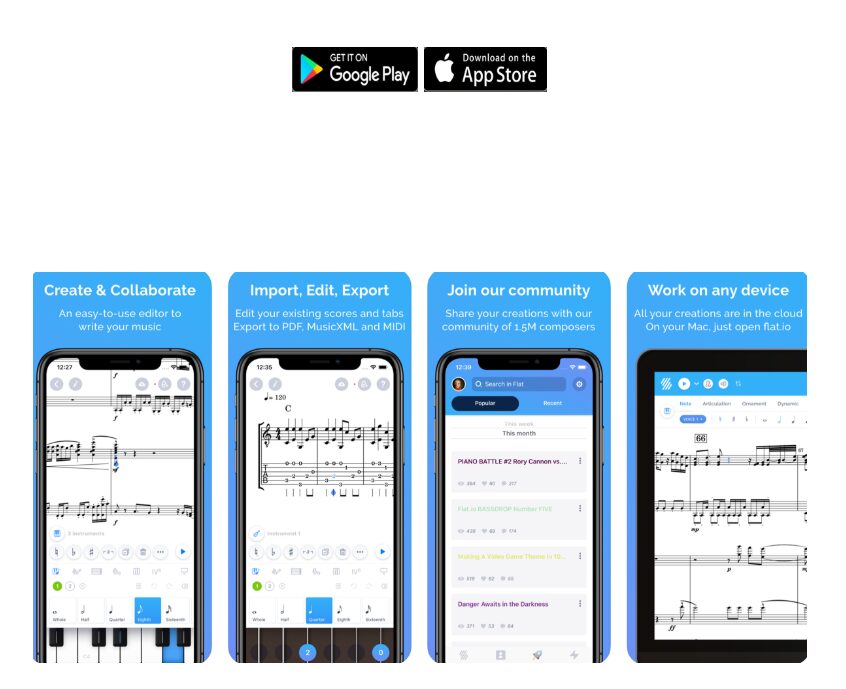
Flat is a browser-based and mobile music notation platform used by over five million musicians worldwide. For piano students taking composition lessons — a growing part of WKMT’s programme — it provides a practical way to notate, hear back, and share musical ideas without requiring expensive desktop software.
The free tier includes the full notation editor, MIDI playback, and the ability to export scores as PDFs. Students can create, edit, and share compositions from a web browser or from the iOS and Android apps. Students interested in exploring composition as part of their piano education can enquire about composition lessons with WKMT, where Flat is regularly used as a notation tool during sessions.
Classics for Kids — Classical Music Appreciation for Young Pianists
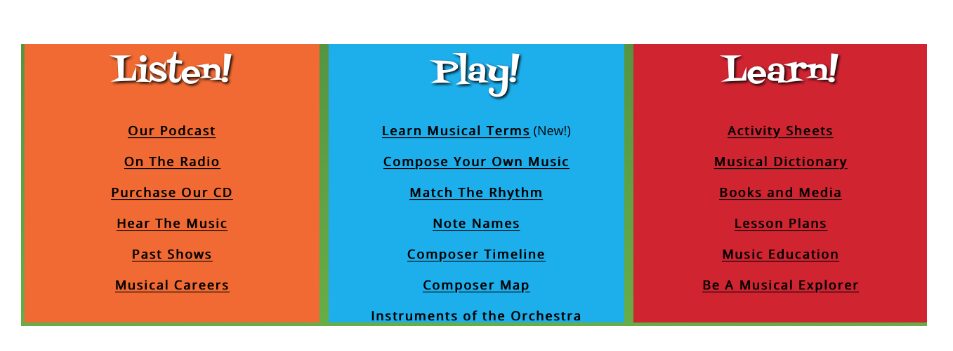
Classics for Kids is not a mobile app — it is a website (classicsforkids.com) — but it deserves a place in any guide to free digital resources for piano students because of how effectively it introduces young children to the composers and works they will encounter in their piano lessons. The site is built entirely around classical music for children, with composer profiles, listening activities, games, and printable resources, all designed for ages 5–10.
Teachers at WKMT’s children’s piano programme regularly recommend it as a first port of call for families beginning a piano journey.
WKMT Tip — Using Classics for Kids at Home
Set aside ten minutes a week to explore one composer with your child on Classics for Kids before their piano lesson. Ask them to listen for one thing: the mood, the speed, or whether it sounds happy or serious. This kind of directed listening builds the musical context that makes piano lessons more productive at every stage.
PlayScore2 — Practice With Any Printed Score
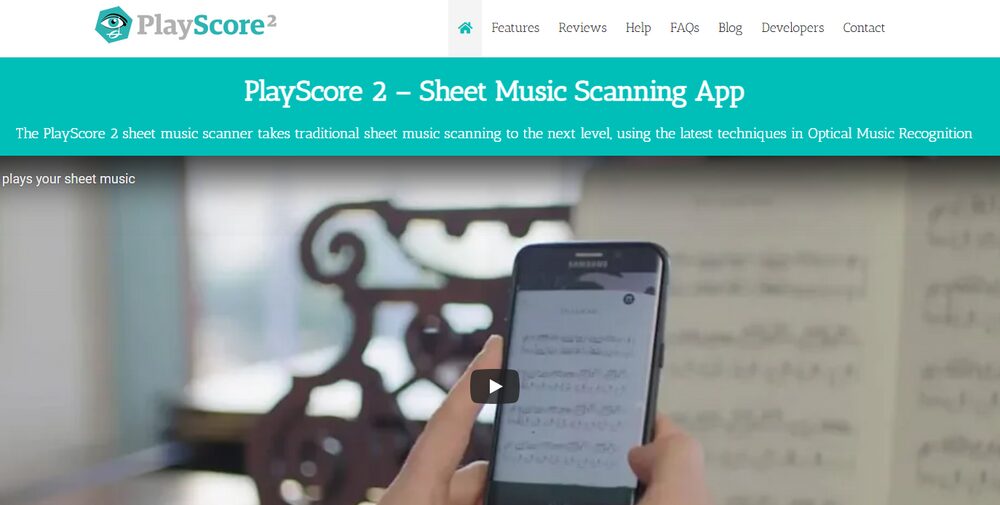
I, Gisela Paterno, am part of a team of teachers at WKMT that we tried this app for our students and us, and with great success, I should add. This app is terrific for either professional musicians who need to practice duets and can’t find anyone to do it or for students of any level who would like to practice with the music playing to double-check for any mistakes. The interface is delightfully easy and allows to play the piece by taking a photo of it and modifying the speed and instruments. Additionally, you can export the files to notation software such as Sibelius or Musescore. It is 100% recommendable for all musicians!— Gisela Paterno, WKMT Piano Teacher
PlayScore2 occupies a different category from the other apps in this list: rather than training a specific skill, it turns any piece of printed music into a playable audio file. A student photographs a score and the app reads the notation and plays it back. The tempo is adjustable, and individual instruments can be muted, allowing a piano student to hear the right hand part while playing the left, or vice versa.
Building a Daily App Routine for Piano Practice
The most effective way to use these free apps for piano students is as a structured daily supplement. A workable routine for a student preparing for an ABRSM grade:
- Morning (5 minutes): Open Music Tutor and complete a note-reading drill in the clefs required for your current grade.
- Before or after school (5 minutes): Open Aural Wiz and complete one cycle of interval or cadence identification in Practice mode.
- During the week before a theory exam: Use Music Theory with AUDIO to work through flashcards for Grade 5 syllabus topics you are least confident about.
- After a composition lesson: Open Flat and notate any ideas sketched during the session while they are fresh.
- For any piece you are learning: Use PlayScore2 to hear a clean playback of a difficult passage before bringing it to your next lesson.
A Note on App Limitations
Free apps develop note recognition, interval hearing, and theoretical recall. They cannot assess posture, touch, tone, pedalling, or musical interpretation. Apps are tools to make lessons more productive, not substitutes for them. If you are considering using an app to learn piano without a teacher, read WKMT’s guide on why you shouldn’t use an app to learn to play piano.
Comparing the Six Apps at a Glance
| App | Skill Area | ABRSM Grade Relevance | Platform | Cost |
|---|---|---|---|---|
| Music Tutor | Sight-reading / Note ID | Grades 1–5 | iOS, Android | Free |
| Aural Wiz | Ear training / Aural tests | Grades 1–5 | iOS, Android | Free |
| Music Theory with AUDIO | Music theory revision | Grade 5 Theory | iOS only | Free |
| Flat | Composition / Notation | Composition students | iOS, Android, Web | Free tier |
| Classics for Kids | Listening / Appreciation | Early learners (ages 5–10) | Website | Free |
| PlayScore2 | Score scanning / Practice playback | All grades | iOS, Android | Freemium |
For more information on paid apps and subscription platforms, WKMT has a separate review of the best paid piano apps.
Are These Apps Suitable as a Starting Point for Piano Study?
For the skills they target — note recognition, aural identification, and theory revision — yes. For learning to play the piano from scratch, no. None of these apps teaches hand position, weight transfer, fingering, tone production, or the physical coordination required to play two independent lines simultaneously. Those skills require a teacher and a keyboard, ideally both in the same room.
For students already taking lessons, the same apps act as amplifiers: they extend the reach of the weekly lesson into the gaps between sessions. To understand better how to structure your practice time overall, WKMT’s guide on how to practise effectively covers the principles that apply whether you are using apps or not.
Frequently Asked Questions
Can free apps replace piano lessons?
No. Apps can develop specific sub-skills — note recognition, interval hearing, theory recall — but they cannot teach touch, tone, posture, musical interpretation, or the physical coordination that piano playing requires. They are effective supplements to lessons, not alternatives to them.
Which app is best for ABRSM Grade 5 Theory?
Music Theory with AUDIO is the strongest free option for Grade 5 Theory preparation on iOS. On Android, the ABRSM’s own Music Theory Trainer app (free, available on Google Play) covers Grades 1–5 with interactive challenges specifically designed around the ABRSM syllabus.
Is Aural Wiz suitable for all ABRSM grades?
Aural Wiz covers intervals, scales, modes, chords, and cadences, which are relevant from Grade 1 through to Grade 8 and beyond. Students at Grades 1–2 will primarily use the interval and scale recognition features; students at Grades 4–5 and above will find the chord quality and cadence identification exercises most useful.
What does PlayScore2 actually do?
PlayScore2 uses your phone’s camera to photograph a printed music score and converts it into an audio playback file. You can adjust the tempo, mute individual parts, and export the recognised notation to software such as Sibelius or MuseScore. The core features are available on the free version.
Are these apps suitable for young children?
Classics for Kids is specifically designed for children aged 5–10 and requires no musical knowledge. Music Tutor is suitable for children from around age 7 upwards, once a teacher has established which note range to work on. Aural Wiz is generally more suitable for students aged 9 and above who are already working toward Grade 1 or 2.
Looking for Piano Lessons in London?
WKMT London offers piano lessons for children and adults at all levels, from complete beginners to diploma candidates. Our teachers cover technique, repertoire, ABRSM grade preparation, aural training, and music theory — everything the apps above support, taught properly in person.